

From the Client Area, click Domains: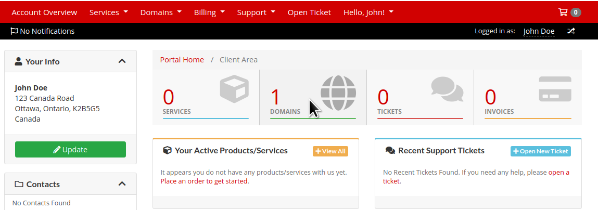
Then click anywhere in the row of the domain you wish to manage (ie on the "Active" text):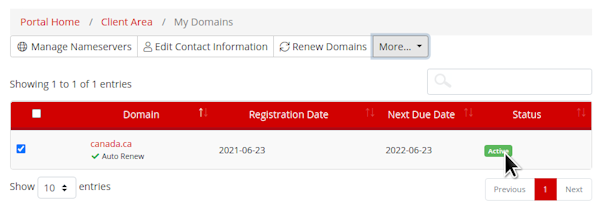
Select the "Use custom nameservers (enter below)" radio-box, and then enter your nameservers in provided fields and click the "Change Nameservers" button:
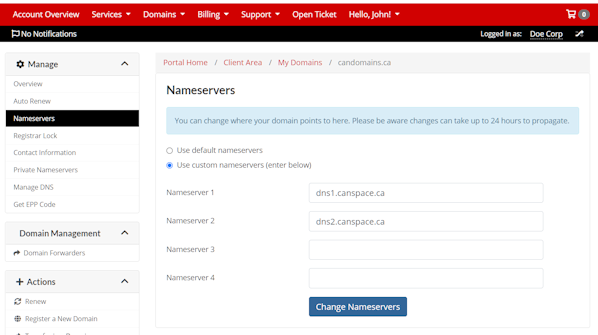
Please note that nameserver changes may take up to 24 hours to fully propagate.
Note: If you have several domains, and you'd like to update nameservers on all of them, you can also use the "Bulk changes" option.
Please open a support ticket if you need any further assistance.