- WordPress allows beginners to build a website easily by choosing a domain, selecting a WordPress hosting plan, and installing the platform through a simple cPanel one-click setup.
- After installation, users can choose a suitable theme and create pages or posts using the WordPress Block Editor to shape the look and content of their site.
- WordPress plugins can be added to introduce new features, helping customize the website based on specific needs and goals.
A website gives people a place to learn about who you are and what you offer. WordPress makes it possible to build that website without needing advanced technical skills. It is flexible, widely used, and supported by a large community. With the right steps, beginners can set up a WordPress website and start building their online presence.
Here’s how to start with WordPress, from choosing a domain to adding features with plugins.
Choosing a Domain Name
A domain name is the web address people type to visit your website. It represents your brand or purpose, so choose something short, unique, and easy to remember. Many beginners start by checking availability on domain registration platforms like GoDaddy, Namecheap, or Google Domains. If the name is taken, try slight variations, but keep it clear and simple.
If your business targets the Canadian market, choosing a .ca domain is especially important. A Canadian domain signals trust, local relevance, and authenticity to Canadian visitors. It also performs well for Canada-focused SEO. Services like CanSpace, a leader in .CA domain registration, make it easy to search for and secure the ideal name for your website.
Once you find the right name, purchase it and keep the login details safe. You will connect this domain to your hosting plan in the next step.
Selecting a WordPress Hosting Plan
To run your WordPress website, you need hosting. Hosting companies store your website files and allow visitors to access your site online. Many companies offer WordPress hosting, such as Bluehost, SiteGround, or HostPapa.
Look for a hosting plan that mentions WordPress hosting because these plans are designed to support WordPress websites. After signing up, you will receive login details to your hosting account and cPanel, a dashboard used to manage your website.
Installing WordPress
Most hosting providers offer a one-click installation option inside cPanel. This removes the need to download or upload files manually.
- Log in to your hosting account.
- Go to cPanel.
- Look for the WordPress installer or “Softaculous Apps Installer.”
- Click WordPress and follow the guided setup.
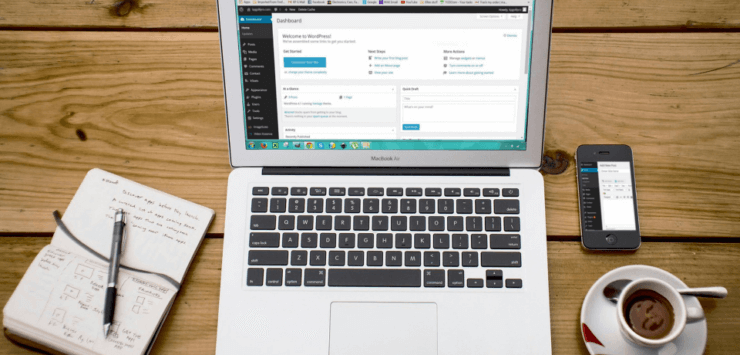
WordPress will install, and you will receive an admin login link, often called “WordPress login.” This is usually formatted like this: yourwebsite.com/wp-admin.
Choosing a WordPress Theme
Your theme controls how your WordPress website looks. There are many free and paid themes. You can browse themes within the WordPress dashboard under Appearance → Themes. You can also search for the best WordPress themes online if you have a specific style in mind.
Pick a theme that suits the purpose of your site. For example, choose a clean layout for business pages or a more visual style for photography and creative work. You can switch themes later, but starting with a theme that fits your plans helps you build faster.
Creating Content Using the WordPress Editor
Content gives your website meaning. WordPress provides an Editor Mode called the Block Editor, which uses blocks for text, images, buttons, and other elements. You can:
- Create new pages such as Home, About, and Contact.
- Write blog posts if you plan to publish articles.
- Add headings, images, and links easily by clicking the “+” block button.
- Take time to write clear and helpful content. This is what visitors will read and interact with.
Using WordPress Plugins
Plugins give your website new features. There are plugins for contact forms, security, SEO, image galleries, and more. To add plugins, go to Plugins → Add New in your dashboard and search for what you need. Install only what is necessary to avoid slowing down your website.
Final Thoughts
Starting a WordPress website involves choosing a domain, selecting a hosting plan, installing WordPress, picking a theme, creating content, and adding plugins. With these steps, beginners can build a website that looks professional and supports their goals. WordPress hosting makes the process smooth, and the WordPress editor allows you to update your website at any time. Once your site is live, continue improving content and exploring new features that support your vision.
Choosing a hosting service built specifically for WordPress is one of the most important decisions you can make for your site’s long-term performance. CanSpace Solutions has a team that fully understands its needs, so it delivers fast, secure, Canadian-based WordPress hosting backed by real local experts, so your website runs exactly the way it should.
CanSpace also provides a free WAF (web application firewall) to preemptively prevent WordPress hack attempts, including attacks against outdated WordPress installations, as well as vulnerable plugins. And if you want to learn even more, check out our free webinar “How to Troubleshoot, Secure and Perform SEO for WordPress” on YouTube.
Feel free to reach out if you have any questions or if you’d like to start building your site with confidence.